How to Setup No Code Chatbot for Automated Support
Many businesses struggle to manage customer communication as their customer base grows. Delayed replies, missed opportunities, and inconsistent follow-ups can directly impact business growth.
When customer support teams are overwhelmed with repetitive queries, real customers end up waiting too long for a response, which can harm your brand reputation.
This is where WapMonkey helps businesses streamline communication and improve customer engagement through WhatsApp automation. Setting up an automated system does not have to be a complicated technical project.
By learning how to setup a no-code chatbot for automated support, you can quickly deploy a digital assistant that keeps your customer service running smoothly.
What Is an Automated Support Chatbot?
An automated support chatbot is a pre-configured messaging system that handles incoming customer queries, coordinates initial interactions, and provides standard business solutions without human intervention. Instead of requiring manual typing for every customer, the system triggers tailored answers based on what the user selects.
When you use a no-code chatbot, you build this entire communication path through a visual interface. Connected via the official WhatsApp Business API, the chatbot reads customer inputs and provides real-time information, helping you stay available to your audience around the clock.
Why Is Automated Support Important for Your Brand?
Managing a business manually means your support desk closes when your office closes. However, modern consumers browse and shop at all hours of the day.
An automated system acts as the frontline of your customer experience. It ensures that no customer is greeted with silence.
By delivering immediate, structured responses to common inquiries, it keeps your audience warm, answers their basic doubts instantly, and ensures your business maintains a professional standard even during holidays or busy hours.
Problems Businesses Face Without Automated Chatbots
- Support Team Burnout: Staff members spend hours typing out the exact same answers to the exact same questions every day.
- Slowing Response Rates: As chat volumes peak during sales or campaigns, human agents cannot scale up instantly, causing long chat queues.
- Disorganized Conversations: Incoming messages get mixed up, making it difficult to track which customer query has been resolved and which is still pending.
- High Operational Overhead: Hiring extra customer support executives to handle seasonal rushes or night shifts becomes financially expensive.
How WapMonkey Helps: The Visual Setup Engine
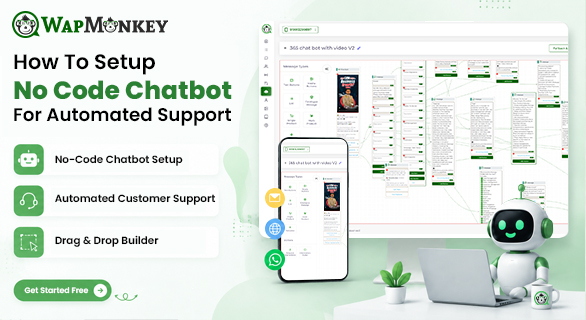
WapMonkey removes all the traditional technical friction out of the equation. Through its dedicated Chatbot Flow Builder, the platform provides a completely visual drag-and-drop workspace. You do not need to manage complicated server configurations or programming syntax.
The platform provides a secure environment where you can visually map your customer support journey. You can build paths that branch out based on user intent, allowing you to design a comprehensive system that feels natural and deeply helpful to anyone messaging your business profile.
Step-by-Step Guide: How to Setup No Code Chatbot
Setting up your automated workspace inside WapMonkey is straightforward. Follow these core steps to deploy your system:
Step 1: Open the Chatbot Flow Builder
Log into your centralized WapMonkey dashboard and navigate directly to the Chatbot Flow Builder workspace. This canvas is where your communication layout will live.
Step 2: Define the Greeting Trigger
Create your opening message. This is typically triggered when a customer sends a basic keyword like "Hello", "Hi", or "Menu". The system will instantly welcome the user by name.
Step 3: Add Interactive Elements
Use interactive buttons and quick replies to present clear options to the customer. For example, create buttons labeled:
- Check Store Timings
- View Product Catalog
- Talk to an Agent
Step 4: Map the Automated Responses
Connect each interactive button to its respective answer. If a customer clicks "Check Store Timings" link, it goes to a text block showing your business hours. If they choose "View Product Catalog," utilize rich media support to automatically deliver your product brochure or image file.
Step 5: Activate and Monitor
Once your visual diagram is complete, save and deploy the flow. Your chatbot is now live and active. You can continuously monitor its performance, track unresolved chats, and see user interactions via the real-time analytics dashboard.
Key Benefits of Setting Up a No-Code Chatbot
- Instant Support Resolution: Common, recurring queries are solved immediately without making the customer wait.
- Better Staff Efficiency: Your team can step away from basic FAQs and focus their energy on complex issues that require human attention.
- Rich Media Content Delivery: Share documents, operational images, and customized alerts smoothly within the automated chat conversation.
- Consistent Brand Experience: Ensure that every single customer receives an identical, accurate, and completely polite response every time.
Real Business Example
Imagine two independent healthcare clinics managing patient inquiries on WhatsApp.
Clinic A uses a manual system. Patients message to ask about available slots, doctor availability, or location coordinates. The receptionist is busy handling physical billing, so patients have to wait up to an hour for basic details.
Clinic B decides to setup a no-code chatbot via WapMonkey. When a patient messages, the system greets them, provides interactive buttons for clinic location, timing, and departments.
It even shares a layout map via rich media support. Clinic B creates a stronger opportunity to engage the customer because they respond quickly and provide information instantly, keeping their staff free from routine telephone load.
Common Use Cases of Automated Support
- E-Commerce Operations: Handle initial queries regarding general return policies, shipping zones, and tracking links.
- Education Inquiries: Automate standard answers regarding admission criteria, course structures, and document requirements.
- Service Agencies: Organize initial customer requirements, share pricing tiers, and distribute portfolio documents effortlessly.
Strategic Comparison: Manual Assistance vs. Automated No-Code Flow
| Support Metric | Manual Customer Assistance | WapMonkey Automated Support Flow |
| Availability | Restricted to company operational hours. | Works continuously to provide support 24/7. |
| Response Speed | Dependent on staff workload and chat queue. | Delivered instantly within seconds. |
| Update Process | Requires retraining staff on new information. | Simple drag-and-drop text edits inside the dashboard. |
| Media Handling | Staff have to manually locate and upload files. | Rich media support delivers assets automatically. |
Final Thoughts
Transitioning to automated customer service does not require an engineering degree or a complex development cycle. When you choose to setup a no-code chatbot for your brand, you gain total control over your business communication.
By utilizing WapMonkey's secure chatbot flow builder, you can easily clear out support backlogs, streamline initial customer conversations, and elevate your customer experience to a professional standard.
FAQs
It automatically answers common customer questions—like pricing, order status, or store hours—on WhatsApp without needing a person to reply every time.
No. WapMonkey offers a visual, drag-and-drop interface built for non-technical users.
If a query needs human attention, the live agent handover feature transfers the conversation to your support team instantly.
Yes, WapMonkey lets you connect and run chatbot workflows across multiple WhatsApp numbers from a single dashboard.
Yes. Automated replies are sent within seconds, so customers get an answer right away instead of waiting.