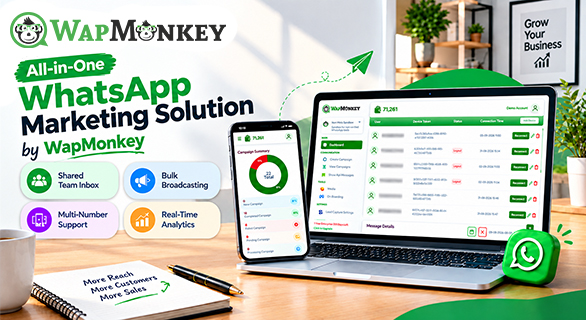
All-in-One WhatsApp Marketing Solution by WapMonkey
Managing customer communication through WhatsApp becomes more challenging as businesses grow. Marketing campaigns, customer enquiries, sales conversations, follow-ups, support requests, and team collaboration often require multiple processes to work together.
When businesses handle broadcasts, customer messages, automated replies, contact lists, and sales conversations separately, it can become difficult to maintain consistency and track communication activity.
WapMonkey provides an all-in-one WhatsApp marketing solution that helps businesses manage WhatsApp communication from one centralized platform. Businesses can use WapMonkey to create WhatsApp broadcasts, manage template messages, automate customer replies, organize contacts, handle team conversations, schedule campaigns, analyze communication activity, and connect WhatsApp workflows with business tools.
This guide explains what WapMonkey offers, its key features, and how businesses can use the platform to improve WhatsApp marketing, sales communication, and customer support processes.
What Is WapMonkey?
WapMonkey is a WhatsApp marketing and customer communication platform designed to help businesses manage their WhatsApp activities from a single workspace.
Businesses can use WapMonkey to create marketing campaigns, organize contacts, manage WhatsApp template messages, automate customer responses, assign conversations to team members, and review communication performance.
Instead of managing different WhatsApp activities through separate tools, businesses can bring broadcasts, chatbot automation, customer conversations, analytics, and team collaboration together within one platform.
The platform supports businesses that use WhatsApp for different purposes, including marketing campaigns, customer support, sales follow-ups, reminders, and regular customer communication.
What Does WapMonkey Include?
WapMonkey combines multiple WhatsApp communication features designed for modern business needs.
The platform includes:
- WhatsApp Broadcasts
- WhatsApp Template Messages
- No-Code WhatsApp Chatbot
- Contact management
- Campaign scheduling
- Campaign analytics
- Business integrations
- Multiple WhatsApp number management
These features allow marketing, sales, and support teams to manage customer communication through a more organized workflow.
WapMonkey Features at a Glance
| Feature | What You Can Do | Business Use |
| WhatsApp Broadcasts | Send targeted messages to selected contacts | Share offers, updates, announcements, and campaigns |
| Template Messages | Create structured WhatsApp message templates | Maintain consistent customer communication |
| No-Code Chatbot | Build automated conversation flows without coding | Handle common customer questions automatically |
| Shared Team Inbox | Manage conversations with multiple team members | Improve sales and support collaboration |
| Catalog | Showcase products alongside WhatsApp conversations | Support product discovery for sales and support teams |
| Contact Management | Organize contacts using groups and tags | Create targeted customer segments |
| Campaign Scheduling | Plan messages for selected times | Manage marketing activities in advance |
| Campaign Analytics | Review communication activity and performance | Understand campaign engagement |
| Business Integrations | Connect WhatsApp workflows with other tools | Create connected business processes |
Create Targeted WhatsApp Broadcast Campaigns
WhatsApp broadcasts allow businesses to communicate with selected audiences without sending the same message to every customer.
WapMonkey helps businesses organize contacts using groups and tags, making it easier to create targeted communication campaigns.
Businesses can use WhatsApp broadcasts for:
- Product announcements
- Promotional campaigns
- Service updates
- Customer reminders
- Event notifications
- Business updates
With campaign scheduling, businesses can prepare messages in advance and plan their WhatsApp marketing activities more efficiently.
Instead of manually sending individual messages, teams can create structured campaigns and reach the right audience with relevant communication.
Create and Manage WhatsApp Template Messages
Businesses often need to send structured messages for different customer interactions. WapMonkey helps businesses create and manage WhatsApp template messages for organized communication.
Templates allow businesses to maintain consistency while adding personalized information based on customer requirements.
Businesses can include dynamic details such as:
- Customer names
- Order information
- Transaction details
- Important updates
- Customer-specific information
Interactive options such as quick replies and action buttons can help create smoother customer conversations.
Using structured templates helps businesses maintain professional communication while reducing repetitive manual messaging.
Automate Replies With a No-Code WhatsApp Chatbot
WapMonkey's no-code WhatsApp chatbot helps businesses create automated responses and conversation flows without requiring technical development.
Businesses can set up automated replies for frequently asked questions related to:
- Product information
- Pricing details
- Service availability
- Order-related queries
- General customer support
Chatbot automation helps reduce repetitive communication tasks and allows teams to focus on conversations that require personal attention.
The chatbot can work together with other WapMonkey features, including broadcasts, templates, contact management, and team conversations, creating a connected WhatsApp communication system.
Manage Conversations With a Shared Team Inbox
Managing customer conversations becomes difficult when multiple employees handle WhatsApp communication separately.
WapMonkey's Shared Team Inbox provides a centralized workspace where teams can manage customer chats together.
With a shared inbox, businesses can:
- View customer conversations
- Assign chats to team members
- Organize communication
- Maintain conversation history
- Collaborate between sales and support teams
This helps businesses create a smoother customer experience because team members can access important conversation details without depending on separate devices.
For growing businesses, a centralized inbox makes it easier to manage higher volumes of WhatsApp conversations.
Showcase Products With WhatsApp Catalog
Alongside broadcasts, templates, and the chatbot, WapMonkey also offers a Catalog feature that lets businesses present products directly within WhatsApp conversations, so customers can browse offerings without leaving the chat.
Automate Repetitive WhatsApp Communication
Many businesses spend significant time handling repeated communication tasks such as reminders, updates, customer questions, and follow-ups.
WhatsApp automation helps businesses reduce repetitive manual work by creating organized communication workflows.
WapMonkey combines automation with features such as:
- Broadcast campaigns
- Template messages
- Chatbot workflows
- Team communication tools
Automation allows businesses to maintain consistent communication while improving team productivity.
However, automation works best when it supports customer conversations rather than replacing important personal interactions.
Track WhatsApp Campaign Activity With Analytics
Sending WhatsApp campaigns is only one part of successful communication. Businesses also need visibility into campaign performance and customer interactions.
WapMonkey provides campaign analytics that help businesses understand communication activity.
Businesses can review information related to:
- Campaign performance
- Customer interactions
- Conversation status
- Communication activity
Analytics help marketing, sales, and support teams identify what is working and where improvements may be needed.
By using campaign analytics, businesses can make more informed decisions about future WhatsApp marketing activities.
Connect WhatsApp With Business Tools
Businesses often use multiple platforms for customer management, sales tracking, and support operations.
WapMonkey supports integrations that allow WhatsApp communication workflows to connect with other business tools, including CRM systems.
These connections can help businesses reduce disconnected processes and create a more organized communication system.
For teams already using CRM, helpdesk, or other business platforms, integrations can make WhatsApp communication easier to manage alongside existing workflows.
Manage Multiple WhatsApp Numbers
Businesses with different departments, teams, or locations may need to manage multiple WhatsApp numbers.
WapMonkey helps businesses organize multiple WhatsApp numbers within a centralized environment.
This can be useful for companies managing different communication requirements across:
- Sales teams
- Customer support departments
- Business locations
- Different service categories
Managing multiple numbers from one platform helps businesses maintain better organization and control over customer communication.
Who Can Use WapMonkey?
WapMonkey can support different types of businesses that rely on WhatsApp for customer communication.
Ecommerce Businesses — Online stores can use WhatsApp marketing to share product updates, promotions, order information, and customer support messages.
Sales Teams — Sales teams can manage customer conversations, follow-ups, and enquiries through organized WhatsApp workflows.
Marketing Agencies — Agencies managing campaigns for multiple clients can use WhatsApp automation tools to improve communication management.
Service Businesses — Service providers can use automated replies, reminders, and customer conversations to improve response management.
Growing Businesses — Businesses that receive a high volume of WhatsApp messages can use centralized communication tools to improve team coordination.
Why Businesses Choose WapMonkey for WhatsApp Marketing
Managing WhatsApp communication becomes easier when marketing, sales, and support activities are connected through one platform.
Marketing teams can use broadcasts, contact organization, scheduling, and analytics to manage campaigns.
Sales teams can manage customer conversations, follow-ups, and enquiries through organized workflows.
Support teams can use chatbot automation and a Shared Team Inbox to improve customer response management.
By bringing these activities together, WapMonkey helps businesses create a structured approach to WhatsApp marketing and customer communication.
Final Thoughts
WapMonkey provides businesses with a centralized WhatsApp marketing solution that combines broadcasts, template messages, no-code chatbot automation, Shared Team Inbox, a product catalog, contact management, campaign scheduling, analytics, multiple-number management, and integrations.
For businesses using WhatsApp across marketing, sales, and customer support, having these tools in one platform can simplify communication management and improve workflow organization.
Instead of handling different WhatsApp activities separately, businesses can use WapMonkey to create a more connected approach to customer communication.
Ready to see it in action? Book a free demo or view WapMonkey's pricing plans to get started.
FAQs
WapMonkey is used to manage WhatsApp marketing and customer communication activities, including broadcasts, templates, chatbot automation, team conversations, analytics, and integrations.
Yes. WapMonkey allows businesses to organize contacts, create targeted WhatsApp broadcasts, and manage campaign communication.
Yes. WapMonkey provides no-code chatbot functionality that allows businesses to create automated replies and conversation flows without coding.
Yes. WapMonkey's Shared Team Inbox allows teams to manage customer conversations, assign chats, and collaborate through one centralized workspace.
Yes. WapMonkey allows businesses to create structured WhatsApp template messages with personalized information and interactive communication options.