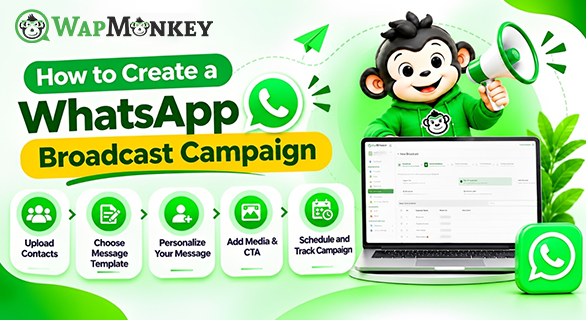
How to Create a WhatsApp Broadcast Campaign
A WhatsApp broadcast campaign helps businesses communicate with multiple customers through planned, personalized messages. Businesses can use campaigns to share promotional offers, product updates, announcements, and other relevant information with their contacts.
Managing these campaigns requires an organized process for preparing contacts, creating message templates, personalizing content, scheduling messages, and reviewing campaign performance. WapMonkey provides broadcast and bulk messaging features to help businesses manage these activities from one platform.
In this guide, you will learn how to create a WhatsApp broadcast campaign using WapMonkey's available messaging features and how to organize your campaigns more effectively.
What Is WhatsApp Broadcast Messaging?
WhatsApp broadcast messaging allows businesses to communicate with multiple contacts without preparing every message individually. With WapMonkey, businesses can organize contacts into groups, personalize messages, and manage campaigns through its broadcast messaging functionality.
For example, a business can prepare a promotional message for a relevant customer group or share an announcement with selected contacts. Personalized templates help businesses adapt messages for individual recipients where supported.
The purpose of a broadcast campaign is to deliver relevant information through an organized messaging process rather than handling every communication manually.
Why Use WapMonkey for WhatsApp Campaign Management?
WhatsApp campaign management involves organizing contacts, preparing messages, scheduling campaigns, and monitoring available performance information.
WapMonkey's official broadcast and bulk messaging page lists campaign management, message scheduling, personalized templates, multimedia messaging, and campaign performance monitoring among its features.
These capabilities help businesses manage their messaging activities in a structured way.
Key features include:
- Contact organization: Categorize contacts into groups to prepare relevant campaigns.
- Personalized messaging: Customize template messages for individual contacts.
- Message templates: Prepare consistent messages using supported, pre-approved templates.
- Campaign scheduling: Plan campaigns according to your schedule.
- Multimedia messaging: Include supported images, videos, and documents.
- Campaign monitoring: Review available delivery and response information.
The exact options available depend on the messaging configuration and features enabled in your WapMonkey account.
How to Create a WhatsApp Broadcast Campaign Step by Step
Step 1: Upload and Organize Your Contacts
Start by preparing your contact list and organizing customers into relevant groups. WapMonkey supports contact organization and grouping to help businesses manage campaign audiences.
For example, a business may separate customers according to their interests or the type of information they want to receive. This makes it easier to prepare messages that match the purpose of a campaign.
Before starting, check your contact information and remove duplicate or outdated records where necessary. Send promotional communications only to contacts who have provided the required consent, and respect their communication preferences.
Step 2: Choose WhatsApp Message Templates
WhatsApp message templates help businesses maintain consistent messaging. WapMonkey provides functionality for creating and managing templates through its template messaging workflow.
When a template requires approval, it must follow the applicable WhatsApp template approval process before use.
Choose a template that matches your communication objective. Keep the message relevant, easy to understand, and appropriate for the intended audience.
For example, a promotional campaign should clearly communicate the offer, while an informational campaign should explain the update being shared.
You can learn more about the process on WapMonkey's WhatsApp Template Message page.
Step 3: Personalize Your Message
Personalization helps businesses make their messages more relevant to individual recipients. WapMonkey supports personalized template messages, allowing businesses to use supported fields for customer-specific information.
For example, a message may begin with a customer's name when the selected template supports that field.
Check that every personalized field contains the correct information before sending the campaign. Incorrect names or missing values can make messages confusing and reduce their usefulness.
Keep the main message clear, and include only details that are relevant to the recipient.
Step 4: Add Media and a Call to Action
WapMonkey's broadcast messaging features support multimedia content, including images, videos, and documents.
Choose media that supports the purpose of your campaign. A product announcement may benefit from a relevant product image, while a business update may be better communicated through concise text or a suitable document.
Where supported by the selected message format, include a clear call to action (CTA). The CTA should explain the next step, such as viewing product information or contacting your business.
Check the media and message content before proceeding to the next step.
Step 5: Schedule and Send Your Campaign
WhatsApp campaign scheduling helps businesses plan when their campaigns should be sent. WapMonkey lists message scheduling as part of its broadcast and bulk messaging functionality.
Before sending or scheduling a campaign, review the following details:
- The selected contact group.
- The message template and its approval status, where applicable.
- Personalized fields and message content.
- Any attached images, videos, or documents.
- The selected sending schedule.
This review helps identify errors before the campaign is launched. Use the scheduling options available in your account to plan your messaging activities.
Step 6: Monitor Campaign Performance
After sending a campaign, review the performance information available through WapMonkey's campaign monitoring features.
The platform describes campaign monitoring for delivery and customer responses. These details can help businesses understand how their campaigns are performing and identify areas for improvement.
Review the available data before deciding whether to change your audience, messaging approach, or campaign schedule. Avoid assuming that a delivered message has been read or that a response automatically leads to a sale.
WhatsApp Broadcast Campaign Checklist
Use this table to review the main activities involved in creating a campaign with WapMonkey.
| Campaign step | What to do | Purpose |
| Contact management | Organize contacts into relevant groups | Prepare the intended audience |
| Message template | Select an appropriate template | Maintain consistent messaging |
| Personalization | Check supported customer-specific fields | Make messages more relevant |
| Media and CTA | Add supported media and a clear next step | Explain the message clearly |
| Scheduling | Review the campaign timing | Plan message delivery |
| Performance monitoring | Review available delivery and response data | Evaluate campaign activity |
Best Practices for WhatsApp Broadcast Campaigns
A well-organized WhatsApp marketing campaign starts with relevant content and an appropriate audience. Follow these practices when preparing campaigns:
- Keep messages clear: Explain the main purpose without unnecessary details.
- Organize contacts: Use relevant contact groups rather than treating every recipient as the same audience.
- Check templates: Confirm that the selected template is suitable and approved where required.
- Review personalization: Make sure customer-specific information is accurate.
- Use relevant media: Include images, videos, or documents only when they support the message.
- Review campaign results: Use the available performance information to improve future messaging.
- Respect customer preferences: Obtain the required consent and honor requests to stop receiving promotional messages.
How WhatsApp Bulk Messaging Supports Business Communication
WhatsApp bulk messaging helps businesses manage communication with multiple contacts through a more organized process.
WapMonkey provides broadcast and bulk messaging functionality for personalized messages, campaign scheduling, and multimedia content. These features can be used for relevant promotions, business announcements, and customer updates.
Businesses can combine contact organization with template messaging to prepare campaigns that suit their communication objectives. Reviewing campaign performance also helps them understand delivery and response activity.
The most suitable campaign approach depends on the audience, message purpose, and features available in the account.
Final Thoughts
Creating a WhatsApp broadcast campaign involves more than preparing a message and sending it to multiple contacts. Businesses need to organize their audience, select suitable templates, personalize content, review media, plan delivery, and monitor available campaign results.
FAQs
Organize your contacts, choose a suitable message template, personalize supported fields, add relevant media where available, schedule or send the campaign, and review the available performance information.
Yes. WapMonkey's official website lists broadcast and bulk messaging functionality for communicating with multiple contacts through personalized campaigns.
WapMonkey lists message scheduling as a broadcast messaging feature. Check your account for the scheduling options available to your configuration.
WapMonkey supports creating and managing WhatsApp message templates, including personalized templates. Templates requiring approval must follow the applicable approval process.
WapMonkey's broadcast messaging page lists support for images, videos, and documents. The formats available depend on the selected messaging option.