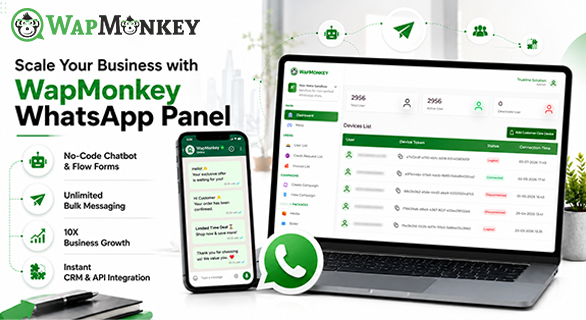
Scale Your Business with WapMonkey WhatsApp Panel
Managing a few WhatsApp conversations is simple. The challenge begins when a business starts handling customer enquiries, sales follow-ups, promotional campaigns, support requests, and hundreds of conversations through the same communication channel.
As message volume increases, manual coordination becomes harder. Teams need to know which conversations require attention, which customers should receive a campaign, what can be automated, and who is responsible for each interaction.
The WapMonkey WhatsApp Panel brings these activities into a centralized environment. Businesses can manage campaigns, organize contacts, automate routine interactions, coordinate team conversations, connect multiple WhatsApp numbers, and monitor communication activity from one platform.
For businesses that have outgrown basic WhatsApp workflows, WapMonkey provides tools for creating a more structured communication process.
What Is the WapMonkey WhatsApp Panel?
The WapMonkey WhatsApp Panel is a business communication platform designed to help companies manage WhatsApp marketing, campaigns, customer conversations, automation, contacts, and team workflows from a centralized environment
Instead of treating every WhatsApp interaction as an isolated conversation, businesses can organize different parts of their communication process within one system.
With WapMonkey, businesses can:
- Create and manage WhatsApp campaigns
- Send broadcast and bulk messages
- Organize contacts using groups and tags
- Build automated responses and chatbot workflows
- Manage conversations through team communication tools
- Connect multiple WhatsApp numbers
- Review campaign and conversation information
- Work with WhatsApp API-related solutions depending on business requirements
The platform is designed to make these workflows accessible without requiring businesses to build their communication infrastructure from scratch.
Why Does Business WhatsApp Communication Become Difficult to Manage?
WhatsApp is convenient because customers already know how to use it. The difficulty is managing communication when the number of customers, campaigns, conversations, and team members increases.
Consider a sales and support team simultaneously handling questions about prices, product availability, order status, appointments, delivery updates, and promotional campaigns.
Without an organized workflow, important questions quickly emerge:
- Which conversations still require a response?
- Which team member is handling each enquiry?
- Which customers should receive a particular campaign?
- Which repetitive questions can be automated?
- Which conversations have been resolved?
- How should different WhatsApp numbers be managed?
A structured WhatsApp Business Solution helps businesses organize these activities rather than relying entirely on manual coordination.
WapMonkey is designed to support this process while keeping human involvement available for conversations that require judgment or personal attention.
Key Features of the WapMonkey WhatsApp Panel
1. Centralized Customer Communication
Customer communication becomes harder to coordinate when several employees are responsible for conversations without a shared workflow.
WapMonkey provides a centralized environment for managing Customer Communication, helping teams maintain better visibility over WhatsApp conversations.
This can be particularly useful for sales and customer-support teams where several people may need to handle enquiries.
Rather than depending entirely on individual phones and manual coordination, teams can work through a more organized communication environment.
2. Bulk WhatsApp Messaging for Business Campaigns
Businesses regularly need to communicate information to groups of customers.
Examples include:
- Product announcements
- Promotional campaigns
- Event information
- Service updates
- Restock notifications
- Reminders
- Business notices
WapMonkey provides Bulk WhatsApp Messaging and campaign-management capabilities for these communication requirements.
However, effective messaging is not simply about reaching more people.
The audience receiving the message should also be relevant. This is where contact organization and segmentation become important.
3. Targeted Broadcast Messages
Not every customer needs to receive every message.
WapMonkey allows businesses to organize contacts using groups and tags, which can support more targeted Broadcast Messages.
For example, an ecommerce business may organize contacts according to customer groups, interests, previous interactions, or specific campaign requirements.
The marketing team can then choose an appropriate audience rather than treating the entire contact database as one group.
This makes WhatsApp campaign management more organized and relevant to the intended audience.
4. No-Code WhatsApp Automation
Many businesses receive the same questions repeatedly:
- What are your working hours?
- Is this product available?
- How can I place an order?
- Where are you located?
- How can I contact support?
Answering predictable questions manually throughout the day can consume valuable staff time.
WapMonkey provides WhatsApp automation for business, including chatbot and automated workflow capabilities that can be used for routine interactions.
Automation works best when it supports the customer journey rather than attempting to replace every human conversation.
Frequently asked questions and predictable interactions can be automated, while complaints, unusual situations, complex enquiries, and conversations requiring judgment can continue to receive human attention.
5. Team Conversation Management
When several employees handle the same communication channel, visibility and coordination become important.
WapMonkey provides team conversation-management functionality designed to help businesses organize customer interactions in a centralized environment.
For companies evaluating WhatsApp customer support software, this is an important difference between basic messaging and a structured business communication workflow.
An organized team environment can make it easier to identify conversations requiring attention and coordinate customer communication.
6. Multiple WhatsApp Number Management
Some businesses use different WhatsApp numbers for separate departments, branches, sales teams, campaigns, or support operations.
WapMonkey supports connecting multiple WhatsApp numbers to an account.
This allows businesses to organize communication across several connected numbers without treating every number as a completely separate communication system.
7. Analytics and Communication Visibility
Sending messages is only one part of business communication. Teams also need visibility into what is happening afterward.
WapMonkey's current platform information describes dashboard visibility across areas including conversation status, campaign information, credit usage, and other communication activity.
This can help teams identify pending work and review how their communication processes are being managed.
Analytics do not automatically make a campaign successful. Their value comes from giving teams information they can use when reviewing and improving communication workflows.
A Typical WapMonkey Communication Workflow
The exact workflow depends on how a business configures and uses the platform, but WapMonkey's features can support a process such as:
Customer contact → Initial response → Contact organization → Team conversation or automated workflow → Follow-up → Conversation review
For marketing communication, the workflow may instead involve:
Contact organization → Audience selection → Campaign creation → Broadcast → Campaign monitoring
This illustrates why centralized communication becomes increasingly useful as the number of conversations and campaigns grows.
WapMonkey WhatsApp Panel vs WhatsApp Business App
The WhatsApp Business App and WapMonkey address different levels of business communication requirements.
| Business Requirement | WhatsApp Business App | WapMonkey WhatsApp Panel |
| Basic conversations | Suitable for straightforward business messaging | Designed for more structured communication workflows |
| Team communication | Standard app and linked-device functionality | Centralized team communication tools |
| Broadcasts | Standard broadcast capabilities | Campaign and targeted broadcast management |
| Contact organization | Standard contact features | Groups and tags for organized segmentation |
| Automation | Basic business messaging functionality | Chatbot and workflow automation capabilities |
| Analytics | Suitable for simpler requirements | Dashboard-based communication and campaign information |
| Multiple numbers | Usually managed through their respective setups | Multiple connected numbers can be organized within the platform |
| Growing communication volume | Appropriate for simpler workflows | Designed for more structured campaign and communication requirements |
This does not mean every business needs specialized WhatsApp software.
A small company handling a manageable number of customer conversations may find its existing WhatsApp Business setup sufficient.
A centralized platform becomes more relevant when campaigns, team collaboration, automation, segmentation, or multiple-number management become regular operational requirements.
Who Can Use WapMonkey?
WapMonkey can support different types of business communication workflows.
Ecommerce Businesses
Ecommerce companies may use WhatsApp for promotional campaigns, product-related communication, customer enquiries, updates, and support.
Contact organization and automation become particularly useful as the number of customer interactions increases.
Sales Teams
Sales teams often need to manage incoming enquiries and maintain visibility over ongoing conversations.
A centralized communication environment can help teams organize interactions and reduce dependence on disconnected manual workflows.
Marketing Teams
Marketing teams can use campaign tools, contact groups, tags, and broadcasts to organize communication for appropriate audiences.
Customer Support Teams
Support teams frequently handle a mixture of repetitive and complex questions.
Automation can assist with predictable interactions, while team conversation-management tools can support enquiries that require human assistance.
Industry-Specific Workflows
WapMonkey currently presents business communication solutions for sectors including education, healthcare, real estate, and marketing agencies.
How the platform is used will depend on each organization's communication requirements.
Multi-Location Businesses
Companies operating multiple branches, departments, or WhatsApp numbers may benefit from managing communication through a more centralized environment.
What Should You Look for in the Best WhatsApp Business Platform?
There is no single Best WhatsApp business platform for every organization.
The right solution depends on the company's communication volume, team structure, campaign requirements, automation needs, technical setup, and budget.
Before selecting a platform, consider:
- Can contacts be organized into useful groups?
- Can multiple team members manage conversations efficiently?
- Can repetitive interactions be automated?
- Can campaigns and broadcasts be managed effectively?
- Does the platform provide useful communication visibility?
- Can multiple WhatsApp numbers be connected if required?
- Does the setup match the company's technical requirements?
- Is customer support available when assistance is needed?
- Can the system continue to support the business as communication requirements grow?
Evaluating these practical requirements is more useful than choosing software simply because it offers the longest feature list.
When Does a Business Need More Than Basic WhatsApp Communication?
There is no universal number of messages or customers that determines when a business needs a more structured platform.
Operational problems are a better indicator.
A business may want to evaluate a centralized solution when:
- Customer conversations become difficult to track
- Multiple employees regularly manage WhatsApp communication
- Repetitive questions consume significant staff time
- Marketing teams frequently run WhatsApp campaigns
- Different customer groups require different communication
- Multiple WhatsApp numbers need to be managed
- Teams need greater visibility into ongoing conversations
- Manual coordination is becoming inefficient
If several of these issues are occurring regularly, the communication workflow itself may need to evolve.
Does WhatsApp Automation Replace Human Customer Support?
No. Automation and human customer support serve different purposes.
Automation is useful for predictable questions, routine information, and repetitive communication. Human agents remain important for complaints, unusual requests, complex questions, and situations requiring judgment.
A practical approach is to automate appropriate routine interactions while maintaining a clear path to human assistance.
The goal of automation should be to make communication easier to manage, not to eliminate meaningful human interaction.
WapMonkey and WhatsApp API Options
Businesses should understand that WapMonkey currently provides information about different WhatsApp communication solutions.
WapMonkey's website includes its own WhatsApp marketing and communication platform as well as information and onboarding resources related to the official WhatsApp Business API.
The requirements can therefore vary depending on the particular WapMonkey solution a business intends to use.
Businesses that specifically require the official WhatsApp Business API should confirm the applicable onboarding requirements, phone-number requirements, Meta Business setup, pricing, and available functionality before implementation.
This distinction is important because the correct setup depends on the communication solution being selected.
Why Consider the WapMonkey WhatsApp Panel?
WapMonkey's value proposition comes from bringing several communication functions into one environment.
Businesses can use the platform to organize contacts, manage campaigns, create automation workflows, coordinate conversations, connect multiple numbers, and review communication activity.
According to WapMonkey's current website information, the company currently highlights:
| Company Information | WapMonkey Website Statement |
| Customers | 5,000+ |
| Experience | 4+ years |
| Team | 30+ members |
| Support | Monday–Saturday, 9 AM–6 PM |
These figures are WapMonkey's own current website statements and may change as the company grows.
For businesses currently managing campaigns, customer conversations, automation, and team communication through heavily manual processes, bringing these activities into a centralized environment can create a more organized workflow.
See How WapMonkey Fits Your Business Workflow
Every business uses WhatsApp differently.
A sales team may need better conversation management, while an ecommerce business may be more interested in campaigns, segmentation, and automation.
WapMonkey currently offers a product demo where businesses can explore relevant features and discuss their communication requirements with the team.
A demo can help determine which WapMonkey capabilities fit your current WhatsApp workflow before making an implementation decision.
Final Thoughts
WhatsApp can be an effective business communication channel, but managing it becomes increasingly complex as a company grows.
What begins as a handful of conversations can eventually involve sales enquiries, customer-support requests, promotional campaigns, automation workflows, multiple employees, segmented contacts, and several WhatsApp numbers.
The WapMonkey WhatsApp Panel provides tools for bringing these activities into a more structured communication environment.
The important question is not whether every business needs advanced WhatsApp software. It is whether the company's existing communication process can continue to manage its current requirements efficiently.
If conversations, campaigns, repetitive tasks, contact organization, multiple numbers, and team coordination are becoming difficult to manage manually, evaluating a centralized communication platform can be a practical next step.
FAQs
The WapMonkey WhatsApp Panel is a business communication platform for managing WhatsApp campaigns, contacts, automation, customer conversations, multiple connected numbers, and communication workflows from a centralized environment.
Not necessarily. WapMonkey currently provides its own WhatsApp communication solution and also provides information and onboarding services related to the official WhatsApp Business API. The required setup depends on the particular solution a business intends to use.
Yes. WapMonkey provides campaign, broadcast, and bulk messaging capabilities. Businesses can also organize contacts using groups and tags to support more targeted communication.
Yes. WapMonkey provides automation and chatbot capabilities for building workflows around routine customer interactions and business communication.
WapMonkey provides team conversation-management capabilities designed to help businesses coordinate WhatsApp customer communication.