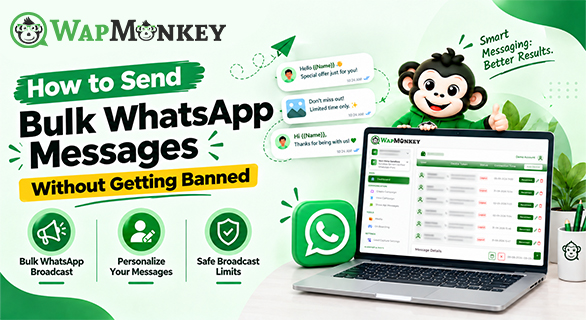
How to Send Bulk WhatsApp Messages Without Getting Banned
WhatsApp has become one of the most effective channels for businesses to share product updates, order notifications, appointment reminders, and promotional campaigns. Customers already know how to use it, which makes it convenient — but that convenience disappears fast if messages feel unwanted.
Sending bulk WhatsApp messages the wrong way — to people who never opted in, or with content nobody asked for — is the fastest way to get a number blocked or restricted. The goal isn't reaching the largest audience possible. It's reaching the right people with relevant, expected communication.
Quick Answer: How to Send Bulk WhatsApp Messages Without Getting Banned
Message only customers who've given consent, keep content relevant, avoid spam-like frequency, and follow WhatsApp's Business Messaging Policy. A WhatsApp marketing platform helps organize campaigns, contacts, and scheduling, but no tool can guarantee an account stays safe forever. Account health depends on message quality, customer feedback, and how consistently a business follows the rules.
What Is WhatsApp Bulk Messaging?
WhatsApp bulk messaging means sending the same or similar message to multiple customers at once instead of contacting each person individually. Businesses commonly use it for product announcements, promotional offers, customer notifications, service updates, appointment reminders, and support communication.
A successful campaign isn't measured by how many messages go out — it's measured by how relevant and useful they are to the people receiving them.
Why Do WhatsApp Accounts Get Restricted?
WhatsApp tracks account health through a quality rating based on recent customer feedback — mainly blocks and spam reports from the last few days of activity. A dropping quality rating can limit how many messages an account is allowed to send, before escalating to longer restrictions. Accounts usually run into trouble by:
- Messaging people without permission
- Using purchased or scraped contact lists
- Sending repetitive or irrelevant promotions
- Ignoring opt-out requests
- Relying on unofficial automation tools
A smaller, genuinely interested audience almost always outperforms a large, cold one — both in engagement and in account safety.
WhatsApp also applies messaging limits at the business level, capping how many unique customers you can message outside an active conversation window. New accounts start at 250 unique customers per 24 hours, and this limit can scale up to 2,000, then 10,000, 100,000, and eventually unlimited — based on consistent message quality and volume over time, not manual requests. For the complete rules, see WhatsApp's official Business Messaging Policy and Meta's messaging limits documentation.
WhatsApp Business API vs Regular WhatsApp Messaging
| Regular WhatsApp | WhatsApp Business API |
| Fine for small-scale, personal-style chats | Built for business communication at scale |
| Manual, one-device management | Supports structured, multi-agent workflows |
| Limited automation | Integrates with CRMs and campaign tools |
A small business handling a manageable number of chats may not need to change anything. But once campaigns, contact lists, and team members start growing, solutions built for business-scale communication generally offer better organization, tracking, and control.
5 Ways to Send Bulk WhatsApp Messages Safely
1. Build a permission-based list. Collect consent through website forms, purchases, bookings, service enquiries, or newsletter sign-ups. Opt-in contacts engage more and report less, which protects your account's quality rating over time.
2. Segment before you send. Group contacts by interest, purchase history, customer type, or location instead of blasting your entire list with the same message. Relevance matters more than reach.
3. Personalize the message. "Hi Sarah, your favorite skincare product is back in stock" performs better than a generic broadcast — it reads like a real update, not an ad.
4. Use approved message templates. WhatsApp Business API requires approved templates for business-initiated conversations outside the 24-hour reply window. Keep templates specific and avoid vague, catch-all wording.
5. Monitor performance and adjust. Review customer responses, engagement, and message frequency regularly. Continuous small adjustments improve results more than any single tactic on its own.
Common Mistakes to Avoid
| Mistake | Better Approach |
| Buying contact lists | Build opt-in lists |
| One message for everyone | Segment your audience |
| Unofficial automation tools | Use compliant business solutions |
| Only promotional content | Mix in useful updates |
| Ignoring customer feedback | Track responses and adjust |
Choosing the Right WhatsApp Bulk Messaging Software
Look for contact management, campaign scheduling, approved message templates, CRM integration, analytics, and automation workflows — features that support responsible sending rather than just faster sending. Avoid any platform that markets ways to bypass WhatsApp's restrictions; that's a shortcut to a banned number, not a real growth strategy.
How WapMonkey Helps
WapMonkey gives businesses a centralized way to run bulk messaging campaigns, manage broadcasts, schedule sends, and track performance from one dashboard, with WhatsApp CRM integration and chatbot automation built in.
It organizes the operational side of WhatsApp marketing — contacts, templates, scheduling, and reporting — so teams spend less time on manual coordination. Responsible practices, though, still sit with the business sending the messages: consent, relevance, and policy compliance aren't things any platform can fully take over.
Final Thoughts
Sending bulk WhatsApp messages successfully isn't about volume. It's about building conversations with people who actually want to hear from you. Permission-based contacts, segmentation, personalization, approved templates, and a reliable platform all work together to reduce risk while making every campaign count for more.
FAQs
Yes — by messaging only consenting customers, keeping content relevant, using approved templates, and following WhatsApp's Business Messaging Policy.
A WhatsApp marketing platform helps businesses manage campaigns, customer conversations, templates, and automation from one centralized system.
Avoid purchased lists, excessive promotions, and unofficial tools. Message people who actually expect to hear from you, and respond to feedback quickly.
Opt-in contacts, audience segmentation, personalized messages, and a reliable WhatsApp marketing platform to manage it all.
Yes — automation handles scheduling, templates, and routing, but message quality and compliance still determine account safety in the end.