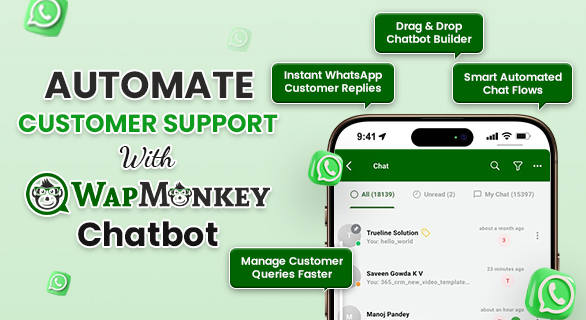
How to Automate Customer Support with WapMonkey Chatbot
Businesses today receive a large number of customer queries every day through messaging platforms. Customers expect quick responses, accurate information, and support whenever they contact a business. Managing all these conversations manually becomes difficult as message volume grows.
Delayed replies, repeated questions, and missed messages can negatively affect customer experience. Support teams often spend a large amount of time answering the same queries again and again.
This is where automation becomes important. Instead of handling every message manually, businesses can automate common customer interactions and provide instant responses.
WapMonkey Chatbot helps businesses automate customer conversations in a structured and efficient way. It allows companies to create automated chat flows, quick replies, and guided conversation options that make communication easier for both businesses and customers.
The Problem with Manual Customer Support and the Solution
Many businesses still rely completely on manual customer support. While this may work in the early stages, it becomes difficult as the number of customers increases.
Some common problems businesses face include:
- Slow response time when multiple messages arrive together
- Repeated questions that consume support team time
- Missed messages during busy hours
- Limited support availability outside working hours
These challenges affect customer satisfaction and make support management inefficient.
A smarter solution is WapMonkey Chatbot. It helps businesses automate conversations, send instant replies, and manage multiple customer queries at the same time. This reduces manual workload and ensures customers receive faster and more consistent responses.
Benefits of Using WapMonkey Chatbot for Customer Support
1)24/7 Customer Support Availability
Customers may contact a business at any time. With WapMonkey Chatbot, businesses can respond to queries even outside working hours. Automated responses ensure customers always receive assistance whenever they reach out.
2)Faster Response Time
When support teams handle many conversations manually, response delays become common. WapMonkey Chatbot instantly responds to customer messages and guides users to the correct information without waiting.
3)Structured and Guided Communication
Businesses can create organized conversation flows that guide customers step by step. Customers can easily select options such as product information, pricing details, or support requests without confusion.
4)Scalable Customer Support System
As businesses grow, customer inquiries also increase. Instead of constantly expanding support teams, companies can use WapMonkey Chatbot to manage larger volumes of conversations efficiently.
How to Automate Customer Support with WapMonkey Chatbot
Automating customer support becomes simple when businesses use tools designed to manage conversations effectively. WapMonkey Chatbot provides an easy system to build and manage automated communication flows.
Step 1: Plan Customer Interaction Flow
Before setting up automation, businesses should identify the most common customer questions. Understanding these queries helps create an effective chatbot conversation structure.
Common customer requests may include:
- Product information
- Pricing details
- Delivery timelines
- Customer service assistance
Planning these interactions helps businesses design a smoother customer support experience.
Step 2: Build Chatbot Flow
Using a drag-and-drop chatbot builder, businesses can create automated conversation flows without coding knowledge.
This visual builder allows companies to design chat structures where responses are triggered based on customer selections and queries.
Step 3: Add Automated Messages
Businesses can include different types of automated messages to make communication more interactive and informative.
These message formats may include:
Text Messages
Automated replies for frequently asked questions.
Quick Reply Options
Customers can select predefined buttons to get the information they need quickly.
Image Messages
Businesses can share images to provide visual information about products or services.
List Messages
A list of options helps customers easily navigate through different categories of information.
These features help businesses deliver clearer and faster communication.
Step 4: Activate Customer Support Automation
After creating chatbot flows, businesses can activate WapMonkey Chatbot automation to start managing conversations automatically.
Once activated, the chatbot responds instantly to incoming messages and guides customers through predefined conversation paths.
This reduces dependency on manual responses while improving response speed and support efficiency.
Real Example of Chatbot Automation
Consider an online business that receives daily customer queries related to product details and delivery timelines.
Without automation, the support team must manually respond to each message. As customer numbers grow, handling these conversations becomes time-consuming.
With WapMonkey Chatbot, the business can automate these responses and guide customers through a simple support flow.
Customers can:
- Select product categories
- Receive product details instantly
- Access delivery information automatically
This automated process helps businesses manage customer communication more efficiently while reducing support workload.
Conclusion
Managing customer communication efficiently is essential for business growth. As customer expectations continue to increase, businesses must respond faster and handle larger volumes of conversations.
Using WapMonkey Chatbot allows businesses to automate repetitive queries, improve response time, and provide structured communication with customers.
Automation not only reduces manual workload but also helps businesses deliver consistent and reliable customer support. By creating guided conversation flows and automated responses, companies can build a scalable support system that improves the overall customer experience.
FAQs
WapMonkey Chatbot is a tool that allows businesses to automate customer conversations by creating structured chatbot flows and automated responses.
It helps businesses respond instantly to customer queries, manage multiple conversations, and reduce manual support workload.
Yes, businesses can create automated chat flows using a drag-and-drop chatbot builder to manage customer interactions efficiently.
No. With WapMonkey Chatbot, businesses can easily build automated chat flows without coding knowledge.