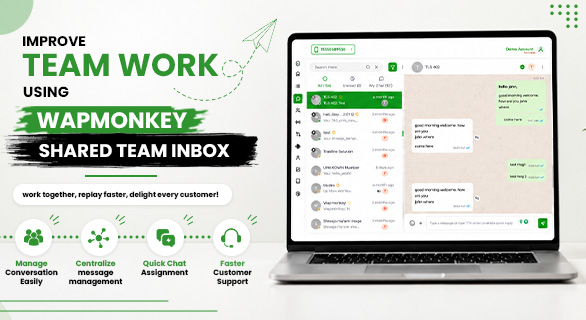
Improve Team Work Using Wapmonkey Shared Team Inbox
Customer communication becomes difficult when multiple team members handle the same WhatsApp number without a proper system. Messages get missed, conversations become confusing, and customers often wait longer than expected for replies.
Many businesses face a common problem. One team member talks to a customer, another team member does not know the previous conversation, and important leads get lost between follow-ups. This not only affects customer experience but can also reduce sales opportunities.
This is where Improve Team Work Using Wapmonkey Shared Team Inbox becomes important. WapMonkey helps businesses manage conversations more easily by bringing customer communication into one centralized system where teams can work together without confusion.
Whether you run a sales team, support department, marketing agency, ecommerce business, or service company, WapMonkey helps you organize customer communication and improve collaboration between team members.
Why Businesses Need a Shared Team Inbox
As a business grows, customer messages increase every day. Managing all those conversations from a single device or individual WhatsApp account becomes difficult.
Common challenges businesses face include:
- Missed customer messages
- Delayed responses
- Lack of team coordination
- Duplicate replies from multiple team members
- Difficulty tracking customer conversations
- Lost sales opportunities
Without a centralized communication system, it becomes harder to manage conversations efficiently.
WapMonkey solves this problem by helping businesses manage conversations more easily through a structured shared inbox system.
What Is Wapmonkey Shared Team Inbox
WapMonkey Shared Team Inbox is a centralized communication system that allows businesses to manage customer messages from one dashboard.
Instead of relying on individual devices, teams can access conversations, assign chats, organize contacts, and collaborate from a single platform.
The goal is simple:
- Keep customer communication organized
- Improve response management
- Increase team productivity
- Help businesses manage conversations more easily
This creates a smoother experience for both businesses and customers.
How WapMonkey Helps Improve Team Work
Organize Teams More Effectively
One of the biggest advantages of Team Work Using Wapmonkey is the ability to organize users into different teams.
Businesses can:
- Create sales teams
- Create customer support teams
- Manage day and night shift teams
- Assign conversations to specific users
This helps businesses ensure every customer conversation reaches the right person.
Instead of multiple employees handling the same chat, businesses can organize workflows clearly and improve communication management.
Assign Chats to the Right Team Members
Many businesses lose customers because conversations remain unattended.
With WapMonkey, managers can assign conversations directly to team members.
Benefits include:
- Faster response handling
- Better customer experience
- Clear ownership of conversations
- Reduced confusion among team members
When conversations are assigned properly, businesses can manage conversations more easily and maintain continuity throughout the customer journey.
Centralized Message Management
Customer messages often come from different campaigns, inquiries, and support requests.
WapMonkey centralizes all communication into one system where businesses can:
- View all conversations
- Track customer interactions
- Monitor message history
- Handle customer support efficiently
Instead of switching between devices or accounts, teams can access everything from one place.
This makes it easier to manage conversations while improving collaboration across departments.
Manage Contacts More Efficiently
Customer communication becomes stronger when contacts are organized properly.
WapMonkey provides powerful contact management features that help businesses keep customer data organized.
Businesses can:
- Add new contacts
- Import and export CSV files
- Manage large contact databases
- Create contact categories
- Tag customers for better organization
For example:
Businesses can create tags such as:
- VIP Customers
- Existing Clients
- New Leads
- Support Requests
This helps teams identify customer categories quickly and respond more effectively.
Start Conversations Without Missing Opportunities
One missed customer message can sometimes mean one lost sale.
WapMonkey helps businesses start and manage conversations more effectively by showing complete message threads and customer interactions.
Teams can:
- View message history
- Track conversation progress
- Follow up with leads
- Continue previous discussions easily
This makes conversations more easily manageable even when multiple team members are involved.
Real Time Team Collaboration
Communication becomes faster when team members work together in one system.
WapMonkey enables businesses to:
- Collaborate across departments
- Share customer conversation history
- Reassign chats when needed
- Monitor team performance
For example:
If a sales representative is unavailable, a conversation can be reassigned to another team member without losing customer context.
This keeps customer communication active and prevents delays.
How WapMonkey Helps Sales Teams
Sales teams often deal with multiple customer inquiries every day.
Using WapMonkey Shared Team Inbox helps sales teams:
- Track new leads
- Respond faster
- Follow up consistently
- Manage conversations more easily
- Improve customer engagement
When sales teams have complete visibility into customer communication, they can close opportunities more efficiently.
How WapMonkey Helps Customer Support Teams
Support teams need quick access to customer conversations.
WapMonkey helps support teams:
- View complete customer history
- Track ongoing issues
- Reassign conversations when necessary
- Improve response management
This creates a better customer experience and helps businesses provide more reliable support.
Why Businesses Choose WapMonkey Shared Team Inbox
Many businesses want a communication system that is organized, scalable, and easy to manage.
WapMonkey helps businesses:
- Improve Team Work
- Manage conversations more easily
- Organize teams efficiently
- Centralize customer communication
- Improve collaboration
- Monitor team performance
- Manage thousands of customer contacts
As communication volume grows, businesses need systems that help teams stay organized while maintaining customer satisfaction.
Business Growth Through Better Communication
Customer communication directly impacts business growth.
When businesses respond faster, organize conversations properly, and maintain communication continuity, customers feel more confident engaging with the brand.
Better communication can lead to:
- Higher customer satisfaction
- Stronger customer relationships
- Improved lead management
- Better team productivity
- Increased business opportunities
This is why many growing businesses focus on improving communication systems before scaling operations.
Conclusion
Customer communication should never feel disorganized. As businesses grow, managing customer messages manually becomes difficult and can affect customer experience.
Improve Team Work Using Wapmonkey by centralizing communication, assigning conversations efficiently, organizing contacts, and helping teams collaborate in real time.
With WapMonkey Shared Team Inbox, businesses can manage conversations more easily, improve team productivity, and create a smoother customer communication process. When every conversation is organized and every team member stays connected, businesses can focus more on growth and customer satisfaction.
FAQs
WapMonkey Shared Team Inbox is a centralized communication system that allows multiple team members to manage customer conversations from one dashboard while keeping communication organized.
WapMonkey helps businesses assign chats, organize contacts, view message history, and manage customer communication from one place, making conversation management much easier.
Yes. WapMonkey allows businesses to create teams, assign conversations, and collaborate on customer communication without creating confusion.
Sales teams can track leads and follow up faster, while support teams can access complete customer conversation history and provide better assistance.
A shared team inbox helps businesses avoid missed messages, improve response speed, organize customer communication, and maintain better collaboration between team members.