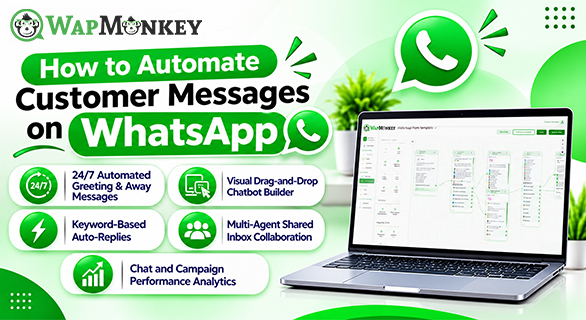
How to Automate Customer Messages on WhatsApp
Responding to customer messages is an important part of managing sales and customer support. However, answering similar questions manually can become difficult when a business receives inquiries from multiple customers. Businesses need a way to organize common responses while keeping customer conversations easy to manage.
Learning how to automate customer messages can help businesses create a more organized messaging process. WapMonkey offers WhatsApp message automation, automated replies, and a chatbot flow builder that allows businesses to configure responses for customer interactions.
Instead of manually writing every routine reply, businesses can use predefined messages and chatbot options to guide customers toward relevant information. This article explains how to plan customer message automation using features listed on the WapMonkey website.
What Is WhatsApp Message Automation?
WhatsApp message automation uses configured replies and chatbot flows to respond to customer interactions without requiring an employee to manually type every response.
For example, when a customer asks about a product or service, a configured chatbot can present relevant information or options. Customers can select an available option to continue the conversation.
WapMonkey provides a no-code chatbot flow builder with different message formats, including text replies, quick replies, images, list messages, section lists, and template messages. These options help businesses organize customer conversations according to their requirements.
How to Automate Customer Messages with WapMonkey
Businesses can start by identifying common customer questions and planning the replies they want to provide. The following steps explain how to approach WhatsApp chatbot automation using WapMonkey's listed tools.
1. Identify Common Customer Questions
Start by listing the questions customers regularly ask your business. These could relate to product information, service categories, or general enquiries.
Group similar questions together so you can prepare relevant answers. This gives you a clear starting point for building an automated conversation.
For example, a business could organize its initial chatbot options around product enquiries, service information, and customer support. Use categories that match your actual business and customer requirements.
2. Prepare Your Automated Replies
Write clear answers for the questions you have identified. Keep the wording simple and make sure the information matches your current products, services, and business policies.
WapMonkey lists Auto Reply Messages among its available features. Its chatbot flow builder also supports text replies that can be used to provide information within a configured conversation.
Explore the WapMonkey pricing page to review the features included in the available plans.
3. Create a WhatsApp Chatbot Flow
Use WapMonkey's Chatbot Flow Generator to explore how a drag-and-drop chatbot flow can be created.
The builder supports several message formats:
- Text Replies: Provide written answers to customers.
- Quick Replies: Offer clickable response options.
- Image Messages: Present information with an image.
- List Messages: Show customers a list of available choices.
- Section Lists: Organize options into relevant categories.
- Template Messages: Configure a template message for a specified phrase, subject to the builder's supported setup.
Choose message types according to the information you want to provide. A simple flow with relevant options is often easier to follow than a conversation containing too many choices.
4. Organize Customer Enquiries
A chatbot flow can help customers navigate available options instead of requiring an employee to explain every category manually.
For example, a business can present different service categories through a list message. Customers can then select an option to receive the corresponding information within the configured flow.
This approach to customer message automation helps businesses structure common interactions. The exact responses depend on the flow that the business creates and configures.
5. Connect Customers with Your Team When Needed
Not every customer question can be answered through a predefined reply. Some conversations require additional information or personal assistance.
WapMonkey lists multi-agent live chat on its pricing page and describes support escalation for chatbot interactions on its website. Businesses can review these features when planning how automated conversations should connect with their support process.
Learn more about the platform through the WapMonkey homepage.
6. Review and Improve Your Message Flows
After configuring your replies, review each option to confirm that it provides the correct information and leads to the intended next step.
Update responses whenever your business information changes. Also check whether the available reporting features help you review customer interactions and identify conversations that require attention.
Regular reviews help keep automated WhatsApp replies relevant to the questions customers actually ask.
Which WapMonkey Features Can Support Message Automation?
The following table summarizes features listed on WapMonkey's website and their possible role in customer conversations.
| WapMonkey feature | How it can be used |
| Auto Reply Messages | Configure automated responses |
| Text Replies | Provide written answers in chatbot flows |
| Quick Replies | Give customers clickable options |
| Image Messages | Share information through images |
| List Messages | Present available choices |
| Section Lists | Organize choices into categories |
| Template Messages | Configure supported template-based responses |
| Multi-Agent Live Chat | Support team-based conversation handling |
Feature availability may depend on the selected plan and configuration. Review the relevant WapMonkey pages before deciding which tools to use.
Benefits of WhatsApp Customer Support Automation
WhatsApp customer support automation can help businesses organize routine conversations through predefined replies and structured chatbot flows.
- Consistent responses: Configured replies help maintain consistent wording for common questions.
- Organized conversations: Lists and quick replies can guide customers through available options.
- Less repetitive typing: Automated responses can reduce the need to manually answer every supported routine question.
- Structured customer interactions: Chatbot flows give businesses a way to arrange information in a defined sequence.
- Team support options: Multi-agent live chat can support team-based conversation management where available.
These benefits depend on how the business configures and uses WapMonkey's features. Automation should complement the support process rather than replace personal assistance when it is needed.
Best Practices for WhatsApp Auto Reply Messages
To make WhatsApp auto-reply messages more useful, follow these practical recommendations:
- Use clear language: Write replies that answer the question directly.
- Keep options relevant: Avoid adding categories that do not help customers.
- Check information regularly: Update replies when products, services, or policies change.
- Test chatbot flows: Review each option to make sure it leads to the intended response.
- Provide a support route: Plan how customers can seek additional help for questions that automated replies cannot resolve.
- Review available reports: Use the reporting features provided by your WapMonkey plan to review communication activity.
A well-organized flow should make it easier for customers to find information, not force them through unnecessary steps.
Final Thoughts
Understanding How to Automate Customer Messages can help businesses organize routine customer interactions and create more consistent responses. WapMonkey provides tools such as Auto Reply Messages, a chatbot flow builder, different message formats, and multi-agent live chat options.
Start by identifying common customer questions, preparing accurate replies, and creating a simple chatbot flow. Review the available features and plan details on the WapMonkey website to determine which setup best suits your business.
FAQs
You can start by identifying common questions, preparing predefined replies, and configuring a chatbot flow using WapMonkey's available tools.
Yes. Auto Reply Messages are listed among the features on WapMonkey's pricing page. Review the selected plan for availability and configuration details.
WapMonkey's chatbot flow builder lists text replies, quick replies, image messages, list messages, section lists, and template messages.
WapMonkey lists Multi-Agent Live Chat in its pricing plans. The available number of agents depends on the selected plan.
Visit the WapMonkey Chatbot Flow Generator page to learn more about its chatbot builder and supported message formats.